ZeroShare
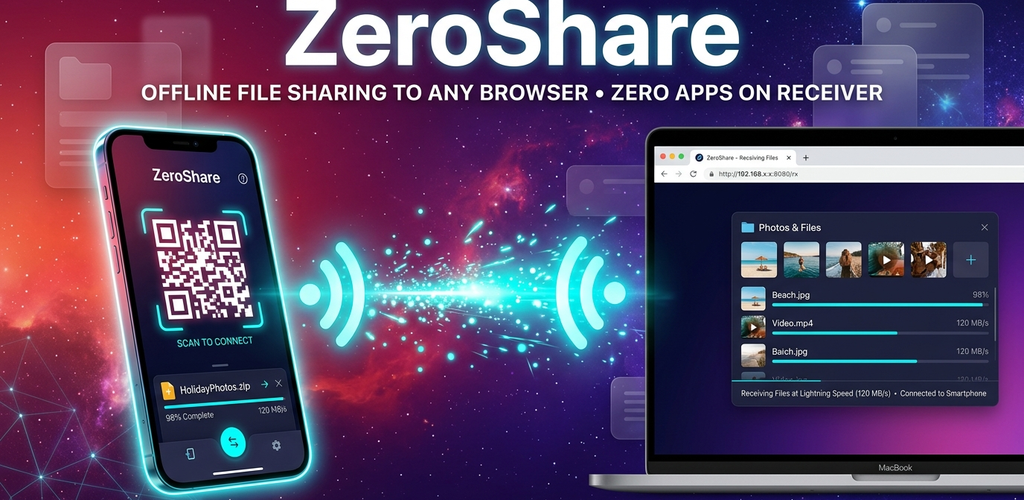
Fast offline file sharing to any PC, Mac, iPhone, or Android via browser — zero apps needed on the receiver.
About the App
ZeroShare is an ultra-fast offline file sharing utility built to eliminate cross-platform sharing headaches. Instead of forcing the receiving device to install a third-party app, ZeroShare hosts an instant, secure local web portal on your Android phone. Any device with a modern web browser (Windows, macOS, Linux, iOS, or Android) can scan the QR code to download files or upload files back to your phone at full Wi-Fi speeds.
Key Features
- Zero Apps on Receiver — The receiving device only needs a web browser (Chrome, Safari, Edge, Firefox). No companion software needed.
- 100% Offline & Free — Transfers happen peer-to-peer over your local Wi-Fi or mobile hotspot. Zero mobile data or cloud quota consumed.
- Two-Way Transfer — Send files from your phone to PC, and upload files from your PC or Mac directly back into your phone's Downloads.
- Full Folder Sharing — Select entire folders and share them with automatic on-the-fly ZIP compression.
- Real-Time Clipboard Sync — Copy text or links on your phone and view them on your desktop screen instantly, or vice-versa.
- PIN Security & Auto-Expire — Protect sensitive transfers with an optional PIN code and auto-destruct sessions after 5 minutes.
- Modern Glassmorphic UI — Sleek OLED cosmic interface with 5 vibrant neon theme palettes.
Use Cases
- Transferring vacation photos and 4K videos from phone directly to PC/Mac without USB cables.
- Sharing documents with iPhone users without needing AirDrop or slow messaging apps.
- Copying code snippets, URLs, or notes between phone and computer instantly.
- Sharing APKs and media in offline environments (planes, travel, remote areas).
Official Visuals
App Icon
Feature Graphic
Privacy & Security
Your privacy is guaranteed. ZeroShare never uploads your files to external cloud servers. All transfers occur locally on your private network.